Stop tracking time.
Start working.
getScribe (getscribe.ai) captures commits, files, and AI sessions into a timeline that bills itself. Local-first time tracking for developers — no timers, no screenshots, no keystroke logging.
Live view. Builds itself.
EVIDENCE
Where did Tuesday go?
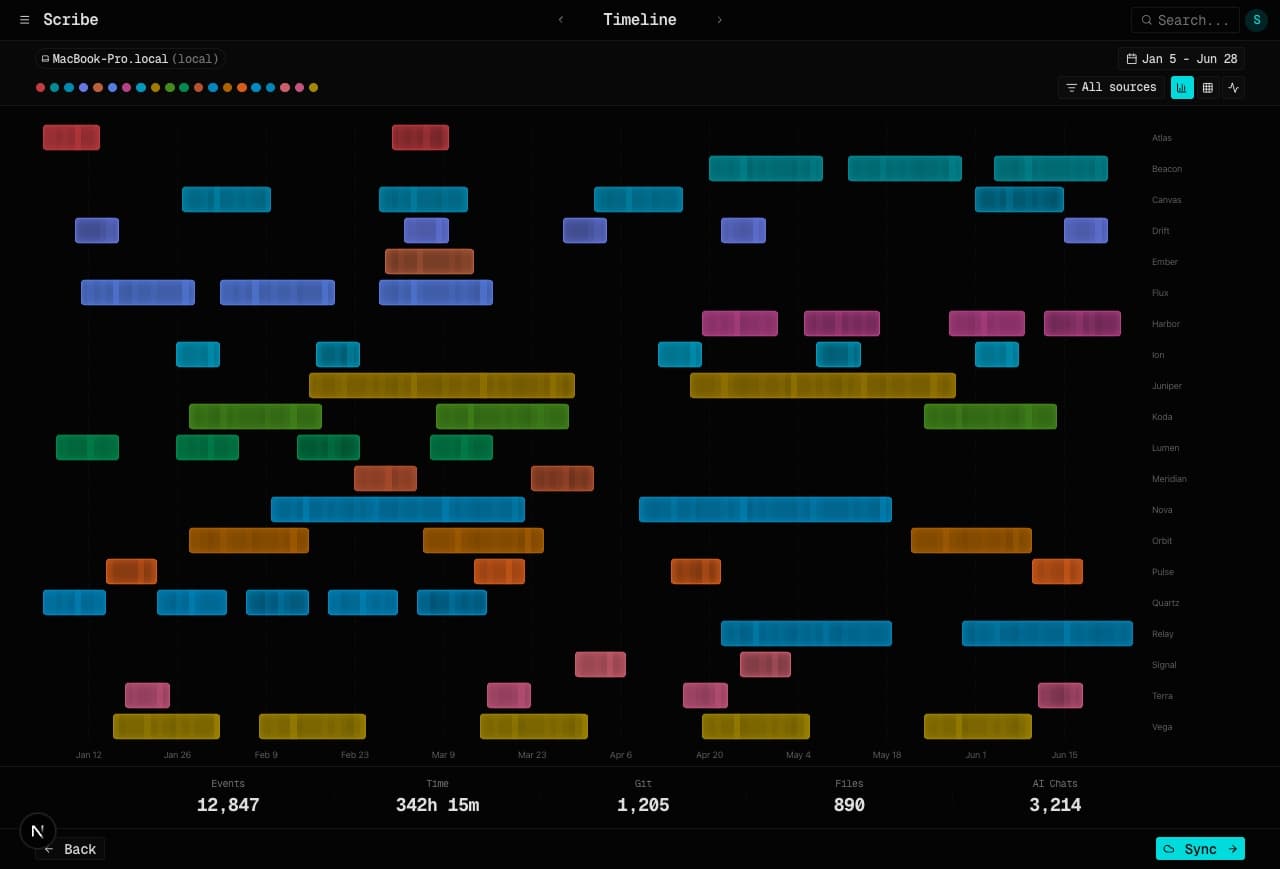
getScribe answers with every commit, file save, and session — placed on the hour it happened.
Each work event is a dot on the timeline, colored by project. Git, files, and AI sessions overlap so evidence density shows the day — not a reconstructed timer.
AI SESSIONS
Your AI sessions are billable. Bill them.
Claude Code, Cursor, Codex, Copilot — every pair-programming minute lands on the right project.
getScribe reads the conversation logs those tools already keep on your machine. Agents get credited. You review the evidence before you invoice.
INVOICING
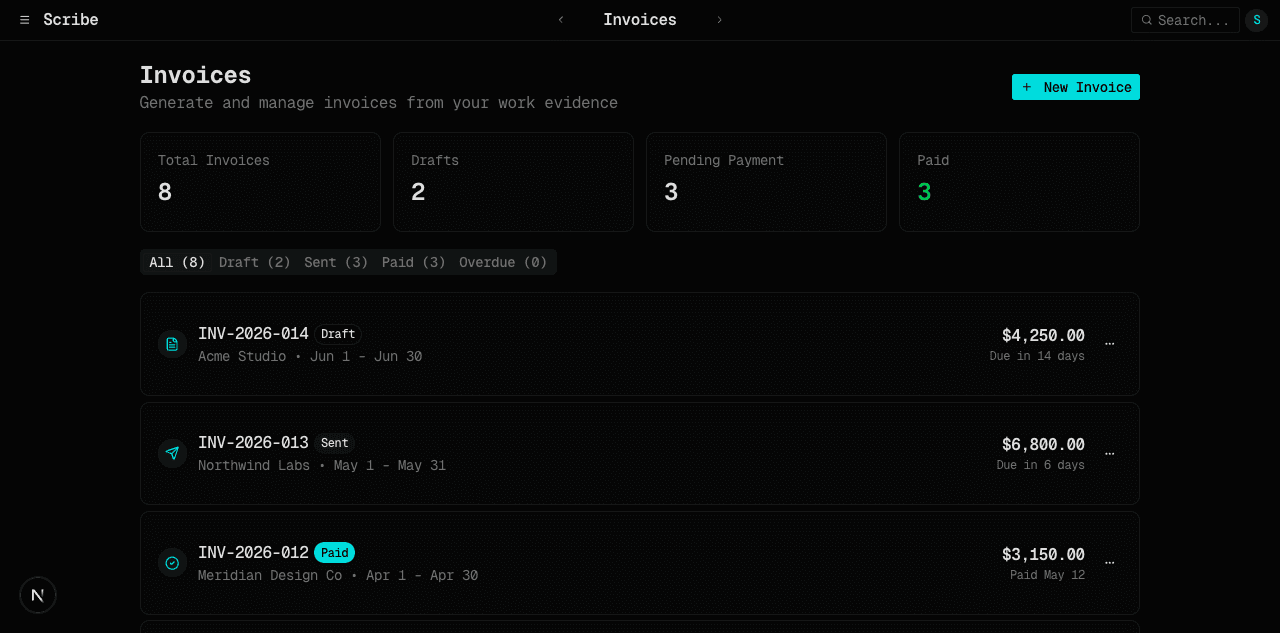
The invoice writes itself.
Line items assemble from real evidence — hours you can defend, attached to work you can show.
Clients, PDF templates, and email live on the getscribe.ai hub. Hours come from the timeline, not from a forgotten start/stop clock.
TEAMS
See what ships. Skip the standup.
Every member's real activity, one timeline — no status pings.
Desktop devices upload to the hub when you say so. Workspace members share a timeline without sharing source code.
View team plansHow getScribe works
Local-first
SQLite on your machine
Private by default
Nothing syncs until you say
Multi-device
Mac, Windows, iPhone
Parallel-aware
Every agent credited
Full-text search
Find any moment
Git-native
Commits, branches, estimates
Frequently asked questions
getScribe at getscribe.ai is local-first work evidence for developers and the agents they run. Short answers below; full docs live at /docs and the agent runbook at /auth.md.
What is getScribe?
- getScribe (getscribe.ai) is a local-first work-evidence aggregator for developers. It captures git commits, file changes, AI coding sessions, and live activity into a unified timeline you can search, share, and bill from — without starting a timer.
What is AI time tracking?
- AI time tracking uses software to automatically capture and categorize work activity. Instead of manually starting and stopping timers, getScribe reads signals like git commits, file modification timestamps, and AI conversation logs to build an accurate picture of how you spent your time.
How does passive time tracking work?
- Passive time tracking records work activity without a start/stop timer. getScribe runs on your machine and captures work signals — code commits, file modifications, AI tool usage, and live sessions — then places each event on a timeline. You review the evidence; you do not reconstruct the day from memory.
Does getScribe track my screen or keystrokes?
- No. getScribe never records your screen, never logs keystrokes, and never takes screenshots. It reads git history and file modification timestamps, plus the conversation logs that AI coding tools like Claude Code and Cursor already keep on your machine. Processing happens locally.
Can AI agents sign up for a getScribe account?
- Not during private beta. Account creation is invite-only via the waitlist at getscribe.ai/waitlist. A human has to be admitted and sign in once in a browser. Agents then authenticate with OAuth 2.1 (dynamic client registration + PKCE), device authorization (RFC 8628), or an API key minted from Settings. See /auth.md.
How do AI agents authenticate?
- getScribe is an OAuth 2.1 / OIDC authorization server. Interactive agents use authorization code + PKCE with dynamic client registration. Desktop CLIs use RFC 8628 device authorization. Headless jobs use a scribe_ API key. Discovery starts at /.well-known/oauth-protected-resource. The runbook is /auth.md.
Get credit for everything you build.
getScribe is in private beta. Join the waitlist and we will let you know the moment your seat opens.
Join the waitlist